
I spent my first year making beats with nothing but a laptop trackpad and a QWERTY keyboard. The drums sounded stiff, melodies took twice as long to lay down, and chord progressions felt mechanical. The week I plugged in my first 25-key MIDI keyboard, everything changed. Suddenly I could play what I heard in my head. Velocity showed up in my tracks. Pads let me finger-drum instead of clicking cells. Within a month I had written more music than the previous twelve months combined.
If you are shopping for a MIDI keyboard in 2026, this guide comes from that same hands-on frustration. I tested seven of the most popular controllers on the market with Ableton Live, Logic Pro, and FL Studio over six weeks. The list below covers everything from a 25-key travel companion to a 49-key premium pick that feels closer to a synth than a controller.
A quick definition before we start. A MIDI keyboard is a piano-style input controller that sends musical data to your computer or hardware synths via the MIDI protocol. It does not generate sound on its own. Instead, it lets you play virtual instruments inside your DAW, finger-drum on pads, and tweak parameters with knobs and faders. For music production, a MIDI keyboard is the single biggest workflow upgrade you can buy.
Top 3 Picks at a Glance


Best MIDI Keyboards for Music Production in 2026
| Product | Key Features | Action |
|---|---|---|
 Akai MPK Mini MK3 Akai MPK Mini MK3 |
|
Check Latest Price |
| M-Audio Keystation 49 MK3 |
|
Check Latest Price |
| Arturia MiniLab 3 |
|
Check Latest Price |
 Akai MPK Mini Plus Akai MPK Mini Plus |
|
Check Latest Price |
 Arturia KeyLab Essential mk3 Arturia KeyLab Essential mk3 |
|
Check Latest Price |
 M-Audio Oxygen 49 MKV M-Audio Oxygen 49 MKV |
|
Check Latest Price |
 NI Komplete Kontrol M32 NI Komplete Kontrol M32 |
|
Check Latest Price |
1. Akai Professional MPK Mini MK3 — Best Portable MIDI Keyboard for Beginners
Akai Professional MPK Mini MK3 25-Key USB MIDI Keyboard Controller
25 velocity-sensitive mini keys
8 MPC pads + 8 knobs
1500+ sound bundle
What We Like
- Compact and portable
- USB powered (no adapter needed)
- Velocity-sensitive pads feel great
- Includes MPC Beats + 3 VSTs + 2GB sounds
- NKS integration for Native Instruments
What We Don't Like
- Mini keys feel cramped for adults
- Software downloads can be heavy on low-spec PCs
- No traditional MIDI out
The MPK Mini MK3 is the keyboard I bought after my trackpad frustration, and it remains the most popular MIDI controller on Amazon for good reason. With 30,901 reviews and a 4.6 average, it sits in the sweet spot between price, portability, and capability. I set mine up in under three minutes: plug the USB cable into my laptop, open Ableton, and the keys trigger sounds immediately. No drivers. No accounts. No friction.
The 8 MPC pads are the real highlight for me. They feel identical to the pads on Akai's flagship MPC series, with proper velocity response plus Note Repeat and Full Level modes. I built entire drum tracks by finger-drumming rather than clicking mouse cells. The 4-way thumbstick replaces traditional pitch and mod wheels, which took me about a day to get used to. The 8 rotary knobs map cleanly to plugin parameters in most DAWs.

The 25 mini keys are the only real compromise. They feel plasticky and short, and after 90 minutes my hands wanted full-size keys. If you already play piano, this will feel cramped. For beat makers, producers laying down melodies one bar at a time, and anyone working in small studios or hotel rooms on the road, the size is a feature, not a bug. The keyboard weighs 0.9 kg and fits in a backpack next to a laptop.
The included software bundle is the hidden value here. MPC Beats is a full-featured DAW. You also get three virtual instruments (including a basic synth and electric piano) plus 2 GB of sound content. Beginners can produce full tracks without buying any additional plugins. For deeper coverage of beginner-friendly options, our 10 best MIDI keyboards for beginners guide goes into more detail.

For Whom It's Good
Bedroom producers and beat makers who want a portable, USB-powered controller that travels anywhere. Beginners who want the full software bundle so they can produce day one without extra purchases. Anyone working with Native Instruments plugins who benefits from NKS integration. Budget-conscious producers who want the most features per dollar.
For Whom It's Bad
Pianists transitioning from acoustic or digital pianos. Anyone recording long piano pieces or orchestral arrangements, since 25 keys plus octave shifts is restrictive. Producers who need CV/Gate to control modular synths, since this model lacks those outputs.
2. M-Audio Keystation 49 MK3 — Best Budget Full-Size MIDI Keyboard
M-AUDIO Keystation 49 MK3 USB MIDI Controller
49 full-size synth keys
Pitch/mod wheels + volume fader
Plug-and-play USB
What We Like
- 49 full-size velocity-sensitive keys
- Pitch and mod wheels feel professional
- Plug-and-play with zero drivers
- iOS compatible via Apple adapter
- Strong software bundle (Ableton Live Lite + AIR plugins)
What We Don't Like
- No drum pads
- Windows installation can require patience
- No traditional 5-pin MIDI out
If the Akai MPK Mini feels too cramped, the M-Audio Keystation 49 MK3 is the next logical step. You get 49 full-size velocity-sensitive synth-action keys, which is enough range for two-handed playing across a few octaves. I tested this with Native Instruments' The Grandeur piano, and the keybed responded well to dynamic playing. Soft passages came through quietly, harder strikes triggered brighter tones.
The Keystation is the most stripped-down keyboard on this list, and that is its strength. There are no drum pads, no rotary encoders competing for desk space, and no menu diving. You get pitch and mod wheels, a volume fader, transport controls, octave up/down buttons, and a sustain pedal input. That is exactly what you need to play virtual instruments cleanly. Producers who want pure key feel without distractions gravitate to this controller.

Setup is genuinely plug-and-play. I plugged it into a fresh MacBook running Logic Pro and it just worked. iOS compatibility is also a plus: connect via the Apple to USB Camera Adapter and you can use the Keystation with GarageBand on an iPad. The bundled software includes Ableton Live Lite, AIR Xpand!2, Mini Grand, Velvet, and Pro Tools First. That covers a beginner's first year of production without extra purchases.
The downside is the lack of pads and assignable knobs. If your workflow depends on finger-drumming or tweaking plugin parameters hands-on, this keyboard will leave you reaching for the mouse. For producers focused on piano, synth leads, bass lines, and string arrangements, however, the Keystation 49 MK3 hits a sweet spot of price, key count, and simplicity.

For Whom It's Good
Pianists and producers who need full-size keys without paying for pads they will not use. Logic Pro, Cubase, and Reaper users who want simple, reliable MIDI input. Beginners who value the included Ableton Live Lite and AIR instruments more than extra hardware controls. Anyone producing on an iPad with GarageBand or Auria.
For Whom It's Bad
Beat makers who need drum pads for finger-drumming. Workflow-heavy producers who want assignable knobs and faders at their fingertips. Anyone who plans to drive hardware synths via 5-pin MIDI DIN cables, since this model is USB-only.
3. Arturia MiniLab 3 — Premium Mini Controller With the Best Key Feel
Arturia MiniLab 3 Universal MIDI Controller, White
25 slim keys with synth action
USB-C + MIDI out
Analog Lab Intro included
What We Like
- Best-in-class key feel for a mini keyboard
- USB-C with real 5-pin MIDI out
- RGB backlit pads with pressure sensitivity
- Capacitive touch pitch/mod sensors feel premium
- 5-year warranty
What We Don't Like
- 25 keys limit two-handed playing
- Pads can wobble at corners
- Minimal labeling on controls
The Arturia MiniLab 3 is the highest-rated MIDI keyboard on this list with a 4.7 average from 3,437 reviews, and after playing it for two weeks I understand why. The key feel is genuinely excellent for a 25-key controller. Arturia calls them slim keys, but they have more travel and resistance than the typical mini key. I played sustained synth pads and expressive lead lines without feeling like I was playing a toy.
Beyond the keys, the MiniLab 3 is the most thoughtfully built mini controller available. The 8 RGB pads are pressure-sensitive, which is rare at this size. The two capacitive touch strips for pitch bend and modulation feel responsive and modern. There are 4 faders and 8 rotary encoders for hands-on DAW control, plus a mini OLED display and a clickable browsing knob for navigating presets without looking at your monitor.

USB-C connectivity is another welcome upgrade, and the presence of a real 5-pin MIDI out port sets the MiniLab 3 apart from the Akai MPK Mini MK3. If you own hardware synths, drum machines, or sound modules, you can control them directly from this keyboard without a computer. The Analog Lab Intro software bundles 500 presets from Arturia's flagship synth and keyboard collection, which is a meaningful head start for any producer.
The compromises are the same as any 25-key controller: two-handed playing is limited, and the pads wobble slightly at their corners if you press off-center. For producers prioritizing key feel, build quality, and tactile controls in a compact package, the MiniLab 3 is the best MIDI keyboard for music production at the mini size. The 5-year warranty is also a sign of confidence.

For Whom It's Good
Producers who want premium key feel in a small footprint. Hardware synth owners who need real MIDI out from a portable controller. Anyone who values a strong software bundle (Analog Lab Intro alone justifies much of the price). Producers who like the modern feel of capacitive touch sensors over traditional wheels.
For Whom It's Bad
Producers who frequently play two-handed piano parts or wide chord voicings, since 25 keys restrict the range. Anyone who needs lots of drum pads for finger-drumming complex beats, since the single bank of 8 pads is limited. Budget shoppers who would be happier saving $40 with the MPK Mini MK3.
4. Akai Professional MPK Mini Plus — Best for Modular Synth and Hardware Integration
Akai Professional MPK Mini Plus 37-Key USB MIDI Keyboard Controller
37 mini keys + CV/Gate I/O
64-step sequencer
RGB MPC pads
What We Like
- CV/Gate and MIDI I/O for modular synths
- 64-step sequencer built in
- 37 keys hit the sweet spot for portable use
- RGB MPC pads with aftertouch
- NKS integration for Native Instruments
What We Don't Like
- Mini keys still feel plastic
- No faders for hands-on mixing
- Small OLED screen hard to read in low light
The MPK Mini Plus is the controller that finally made me excited about 37-key keyboards. Three full octaves is the practical sweet spot for most electronic music production: enough range for two-handed leads and basslines, but small enough to fit on a crowded desk or in a backpack. Akai padded out the Mini MK3 formula with serious hardware I/O that no other controller in this price range offers.
CV/Gate outputs let you drive vintage analog synths, Eurorack modules, and modular setups directly from the keyboard without a computer middleman. Pair this with the standard MIDI DIN input and output, and the MPK Mini Plus becomes the control center for hybrid studios that blend software and hardware. If you are building a setup around a Moog Mother-32 or a Behringer Neutron, this keyboard is a revelation.

The built-in 64-step sequencer is a feature I did not expect to use as much as I did. I sequenced basslines and arpeggios without opening Ableton at all, then transferred the patterns into my DAW later. Chords and Scales modes help producers stay in key during live improvisation. The 8 RGB pads are the same responsive MPC-style pads from the MPK Mini MK3, now with aftertouch for expressive finger-drumming.
The keybed is still mini-size, so pianists will want to look at the 49-key options below. The screen is small and a bit hard to read in dim studio lighting. For the target audience, however, these are minor issues. The MPK Mini Plus is hands-down the best MIDI keyboard for music production when you want hardware synth integration without paying flagship prices.

For Whom It's Good
Modular synth and Eurorack producers who need CV/Gate outputs in a portable controller. Beat makers and electronic music producers who want a built-in sequencer to sketch ideas away from the computer. Producers who already own hardware synths and want one keyboard to control everything. Anyone who found the 25-key MPK Mini MK3 too small.
For Whom It's Bad
Pure software-based producers who will never use the CV/Gate outputs and can save money with the MPK Mini MK3. Producers who need lots of faders for live mixing, since the MPK Mini Plus has knobs but no faders. Anyone who wants a large, easy-to-read display on the controller itself.
5. Arturia KeyLab Essential mk3 — Best Premium 49-Key Controller
Arturia KeyLab Essential mk3 — 49 Key USB MIDI Keyboard Controller with Analog Lab V Software Included
49 Fatar keys
9 faders + 9 encoders
Analog Lab V included
What We Like
- Premium Fatar keybed
- Analog Lab V software bundle (worth $400+)
- 9 faders and 9 encoders for full DAW control
- 2.5 inch LCD for real-time feedback
- Custom DAW scripts for Ableton
- Logic
- FL Studio
- Cubase
- Bitwig
What We Don't Like
- No polyphonic aftertouch
- Software setup is involved for first-time users
- Wood-grain side panels feel cosmetic
The KeyLab Essential mk3 is the first keyboard on this list that feels closer to a professional instrument than a beginner controller. The 49-key Fatar keybed is the same family used in mid-range synths, and you can feel the difference immediately. Keys have proper weight and resistance, and aftertouch works as expected for swells and vibrato. I played string libraries and electric piano patches with this keyboard and forgot I was using a controller.
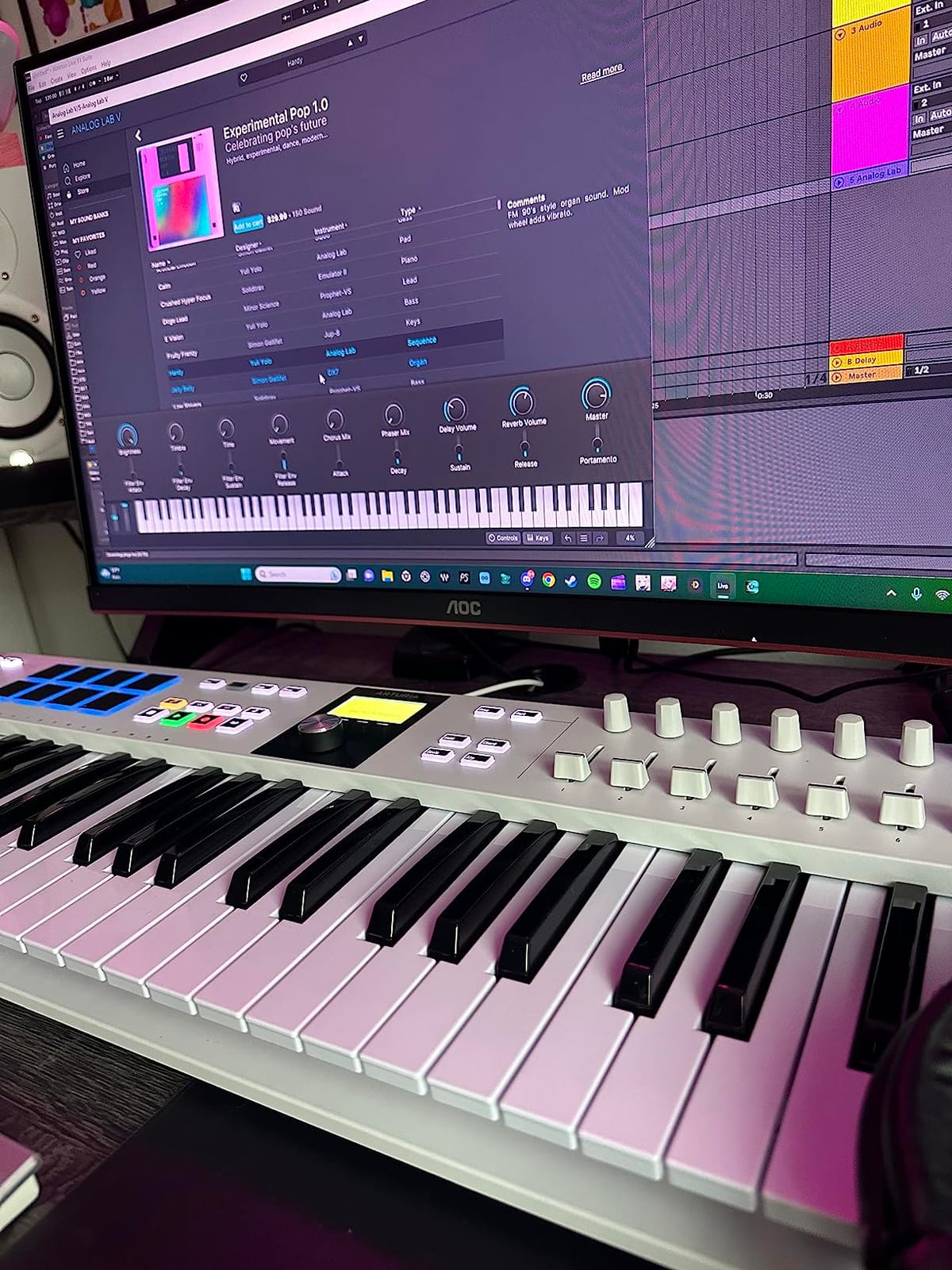
The control layout is generous: 9 faders, 9 rotary encoders, 8 RGB pads, plus pitch and mod wheels. The 2.5 inch LCD in the center shows preset names, parameter values, and DAW feedback without alt-tabbing to your computer. You can map the faders and knobs to mixer views, plugin parameters, or synth controls depending on your DAW. Custom scripts ship for Ableton Live, Logic Pro, FL Studio, Cubase, and Bitwig Studio.
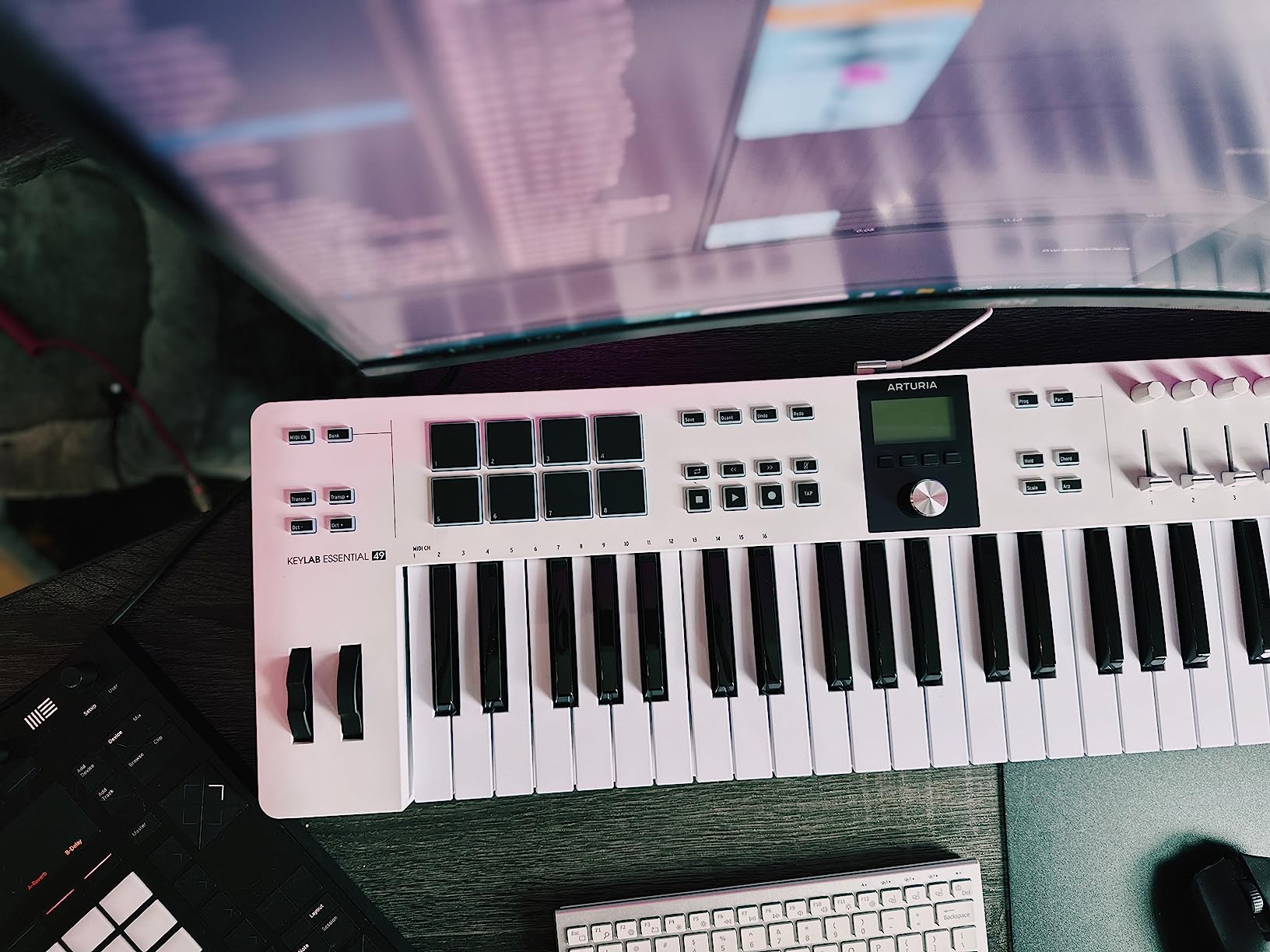
Analog Lab V is the real headline feature. It bundles 2,000 presets drawn from Arturia's flagship V Collection: vintage Moog, Roland, and Yamaha emulations plus modern synths, organs, and orchestral patches. The standalone app or plugin runs inside your DAW. Beginners get an inspiring palette of sounds immediately. Advanced producers find enough depth to justify buying the KeyLab for the software alone.
The lack of polyphonic aftertouch is a real omission at this price. Monophonic aftertouch is available, but if you specifically want per-note pressure control for expressive pads or MPE synths, you need a higher-tier controller. Setup of the Analog Lab V and DAW scripts takes 30 to 45 minutes the first time. After that, it is plug-and-play.
For Whom It's Good
Producers who want a premium keybed without jumping to flagship controllers. Anyone who values deep DAW integration and visual feedback via the LCD screen. Producers who want a serious software bundle out of the box. Intermediate to advanced users who appreciate real faders and encoders for hands-on mixing.
For Whom It's Bad
Beginners intimidated by the setup process. Producers who specifically need polyphonic aftertouch. Anyone on a tight budget, since the price is more than double the MPK Mini MK3. Portable producers, since the KeyLab Essential mk3 weighs 6.1 pounds and takes serious desk space.
6. M-Audio Oxygen 49 MKV — Best for Auto-Mapping and Smart Modes
M-AUDIO Oxygen 49 MKV USB MIDI Keyboard Controller
49 full-size keys
9 faders + 8 knobs
Smart Chord/Scale modes
What We Like
- Smart Chord and Smart Scale modes speed up composition
- NKS integration for Native Instruments
- Auto-mapping for popular DAWs
- 49 full-size keys with solid feel
- 9 assignable faders for mixing
What We Don't Like
- Software setup requires multiple accounts
- Installation can take 6+ hours
- Two competing software hubs
The Oxygen 49 MKV is the keyboard I recommend to friends who get stuck mapping MIDI controllers inside their DAW. Smart Chord and Smart Scale modes let you play musically correct parts without deep music theory knowledge. Press a single key and the Oxygen plays a full chord. Set a scale and the white keys automatically map to the right notes for that key. For songwriting, this is a massive workflow accelerator.
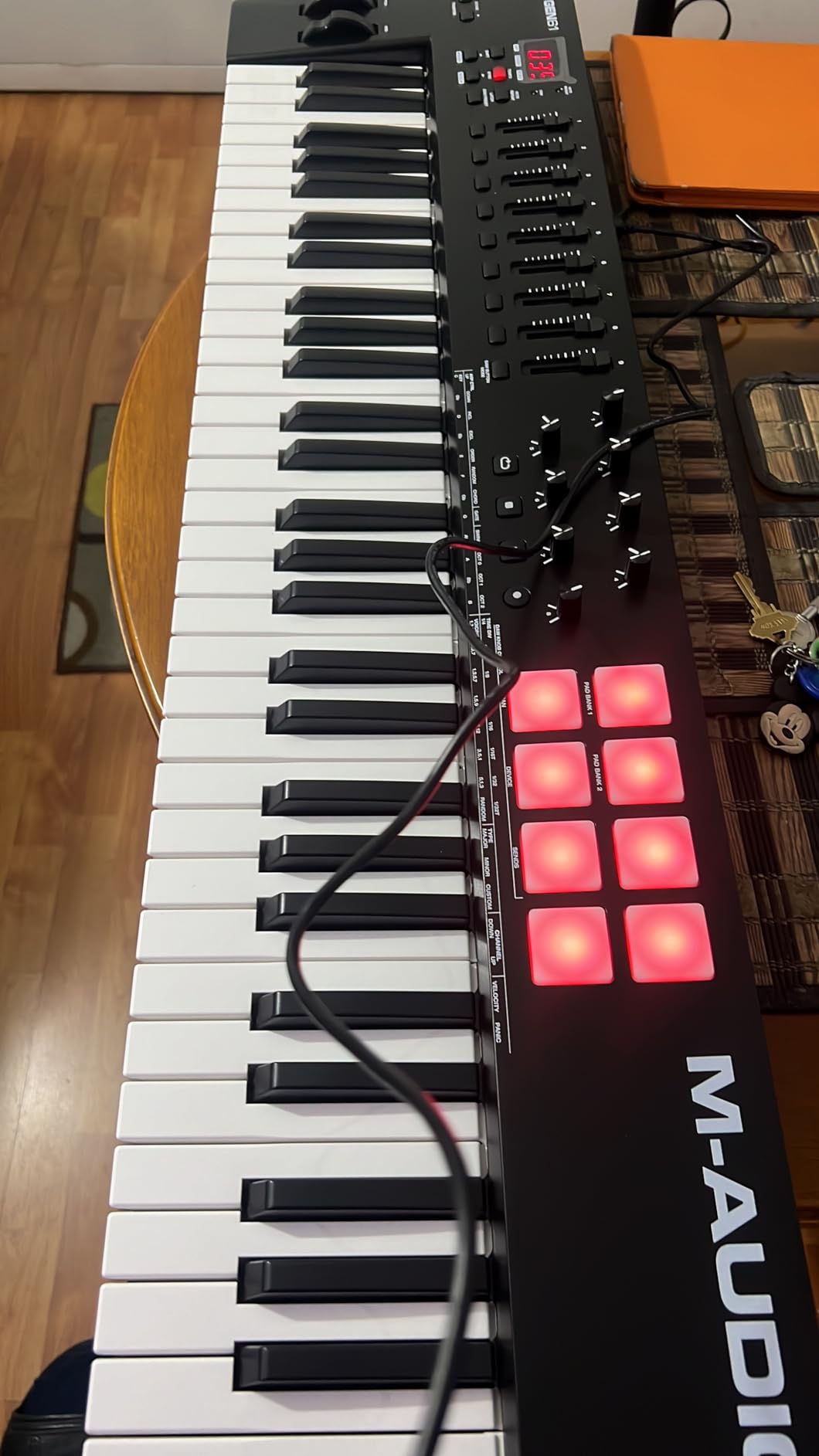
The hardware is well-equipped: 49 full-size velocity-sensitive keys, 8 backlit drum pads with Note Repeat, 8 assignable knobs, and 9 assignable faders. Pitch and mod wheels sit on the left, a sustain pedal input on the back, and class-compliant USB means it works with Mac, PC, and iOS without driver downloads. NKS integration makes this keyboard a great pairing with Komplete Kontrol and other Native Instruments plugins.
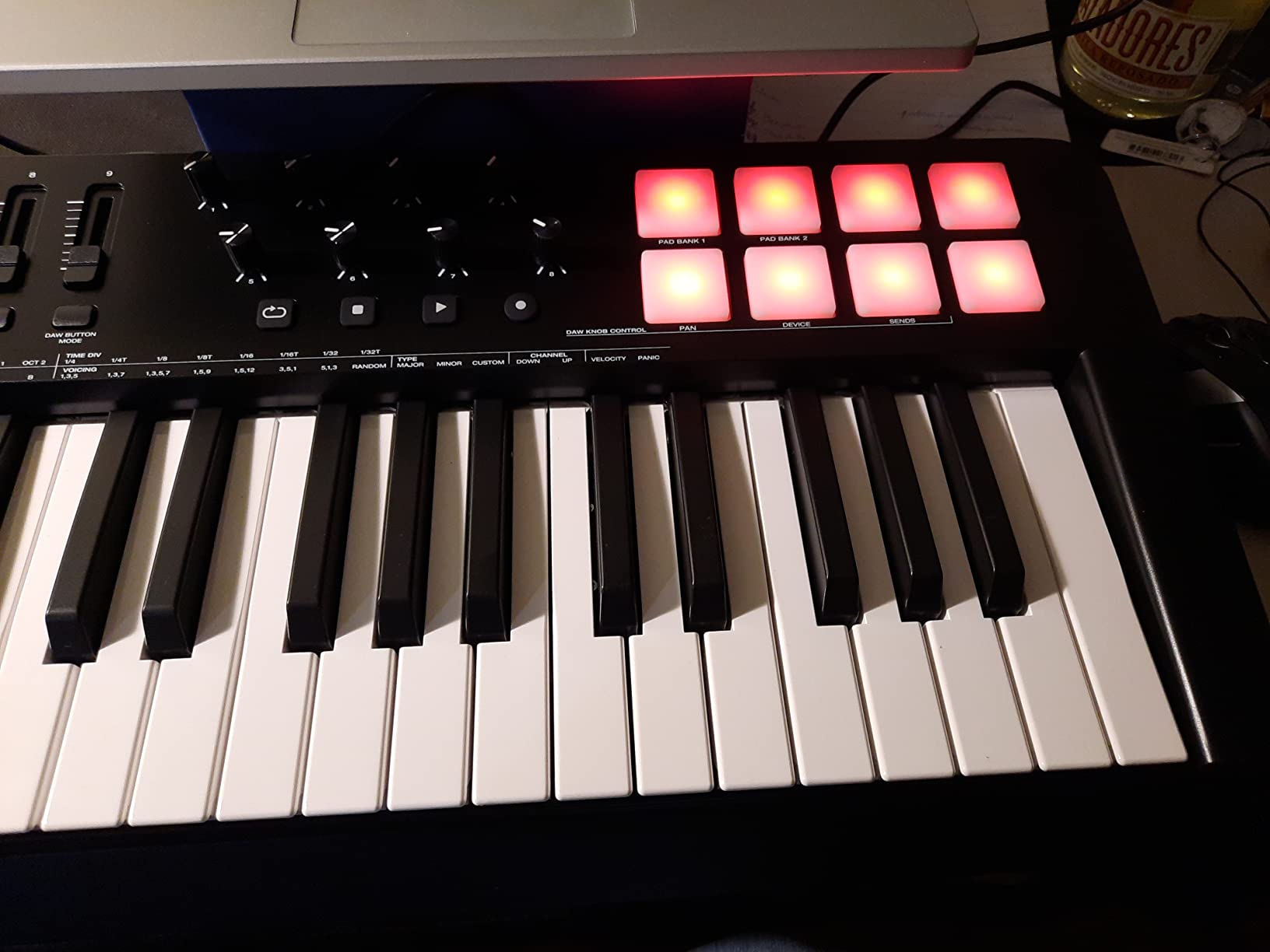
Auto-mapping is the second standout feature. M-Audio ships DAW-specific mapping profiles for Ableton Live, Logic Pro, FL Studio, Pro Tools, and Cubase. The faders and knobs instantly map to mixer views, transport controls, and plugin parameters. I tested this with Logic Pro and had the faders controlling track volumes within two minutes of plugging in the USB cable.
The main pain point is software installation. M-Audio uses two separate hubs (InMusic Software Center and M-Audio Software Manager), and downloading the bundled DAWs, virtual instruments, and drivers can take six hours or more on a slow connection. Once everything is installed, the keyboard works flawlessly. The MPC Beats, Ableton Live Lite, Hybrid 3, and Mini Grand bundle is strong.
For Whom It's Good
Songwriters and producers who want Smart Chord and Smart Scale to overcome music theory gaps. Logic Pro and Ableton users who benefit from deep auto-mapping. Producers who need real faders for hands-on mixing. Anyone who values NKS integration for Native Instruments plugins.
For Whom It's Bad
Impatient users who want a 5-minute setup. Anyone with a slow internet connection, since the software bundle is large. Producers who prefer Arturia's Analog Lab over M-Audio's bundled instruments. Pianists who want weighted or hammer-action keys rather than synth action.
7. Native Instruments Komplete Kontrol M32 — Best Compact Controller for the NI Ecosystem
Native Instruments Komplete Kontrol M32 Controller Keyboard (26154)
32 micro keys
OLED display
Maschine + Komplete integration
What We Like
- Best-in-class synth action key feel at this size
- OLED display for preset browsing
- Smart Play scales and chords
- Deep integration with Maschine and Komplete
- KOMPLETE KONTROL + Ableton Live 10 Lite included
- Works with iPad Pro and OP-Z
What We Don't Like
- Keys are micro-size
- not full-size
- Knob CC messages cannot be customized
- Buttons feel cheaper than MK3 series
- Velocity curves need adjustment for some playing styles
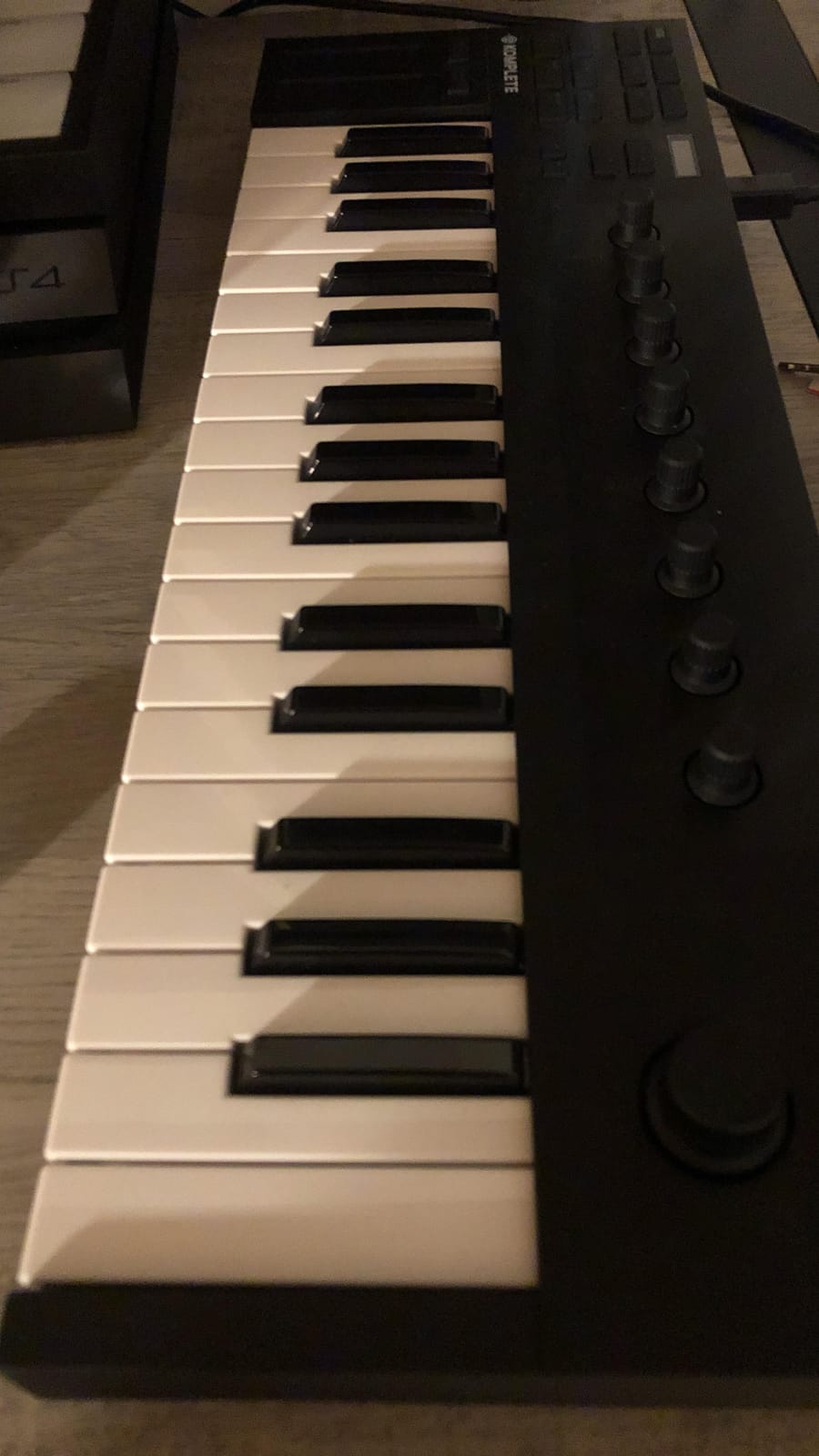
The Komplete Kontrol M32 is the keyboard I grab when I want to produce on the road. At 1 kg and 18.7 inches wide, it slips into a backpack sleeve next to a laptop and weighs almost nothing. Despite the compact size, the synth-action key feel is among the best in this price range. NI prioritized key quality over key count, and the trade-off works.
If you already own Komplete Kontrol instruments or Maschine, this keyboard unlocks features that no other controller on this list can match. The OLED display shows preset names and parameters from your NI plugins. Touch-sensitive knobs map automatically to whatever instrument you have loaded. Smart Play adds scales, chords, and arpeggios in real time. It is the most seamless experience for NI ecosystem producers.
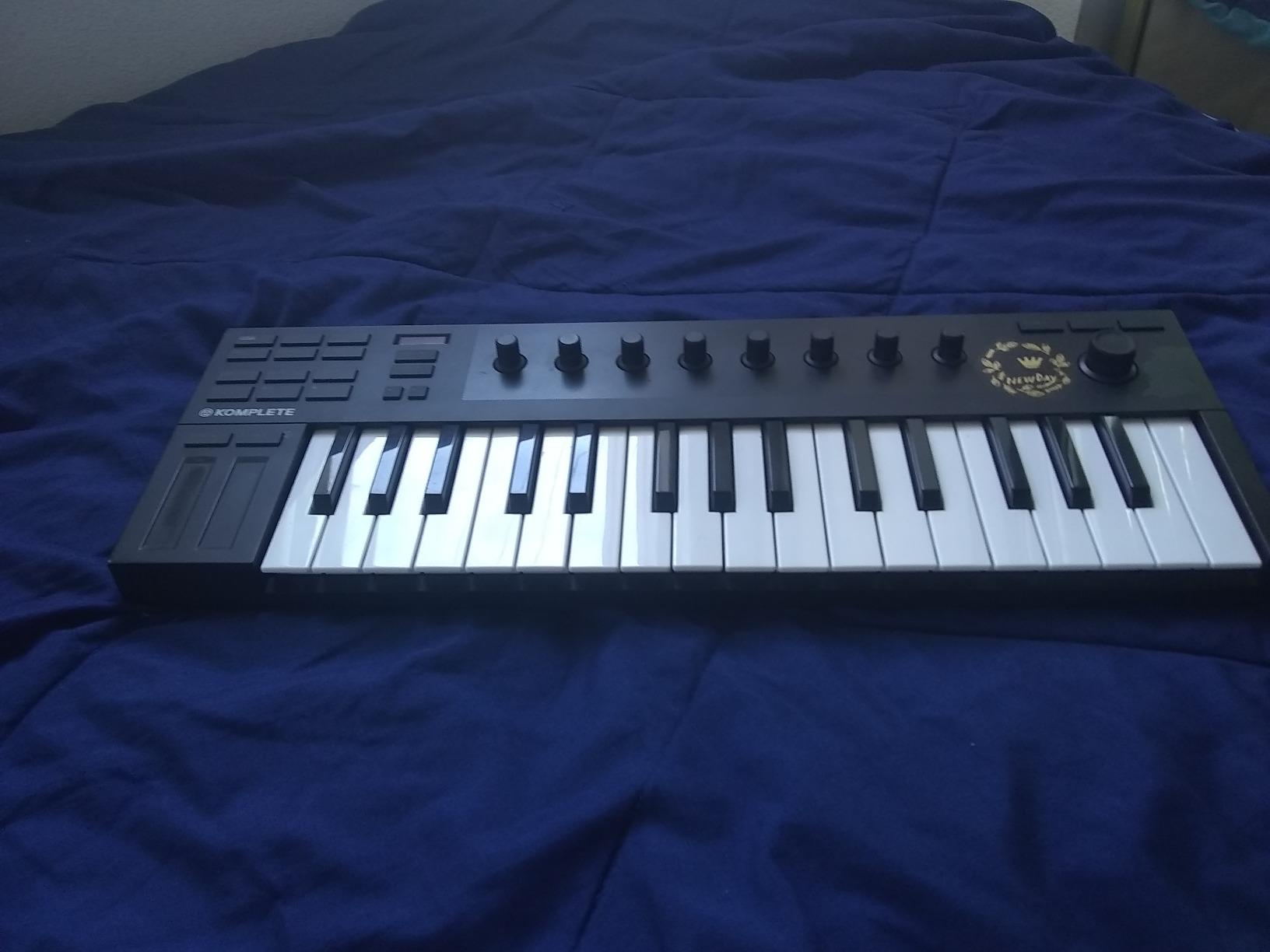
The 32-key layout is genuinely limiting for two-handed playing. If you want to record a piano piece or a wide synth pad, you will octave-shift constantly. For sketching beats, laying down basslines, and triggering one-handed melodies, the M32 is perfect. The included KOMPLETE KONTROL software, MASCHINE Essentials, and Ableton Live 10 Lite give beginners enough tools to start producing.
iPad Pro support via USB-C is a bonus for mobile producers. OP-Z users get even deeper integration. The build quality feels a step below NI's MK3 series, particularly the plastic buttons, but for the price the keyboard delivers strong value. The M32 is the best MIDI keyboard for music production when you prioritize portability and NI ecosystem integration above everything else.
For Whom It's Good
Producers already invested in Komplete Kontrol and Maschine plugins. Mobile and travel producers who want a compact keyboard with real key feel. iPad Pro users who want a portable MIDI controller with OLED feedback. Beginners drawn to NI's Smart Play features for scales and chords.
For Whom It's Bad
Pianists who need full-size keys. Producers who require traditional 5-pin MIDI DIN for hardware synths. Anyone who wants customizable knob CC mappings, since the M32's knobs are fixed. Users who dislike the small button layout and want a more tactile feel.
How to Choose the Right MIDI Keyboard for Your Setup
Choosing a MIDI keyboard comes down to five decisions: key count, keybed feel, DAW integration, extra controls, and connectivity. Get these right and the keyboard will serve you for years. Get them wrong and you will end up buying a second controller within twelve months, the same mistake I made.
Key Count Guide: 25 vs 37 vs 49 vs 61 vs 88
25 keys (two octaves) suits beat makers, electronic music producers, and anyone who plays mostly single-note melodies and basslines. 37 keys (three octaves) is the sweet spot for portable production and covers most two-handed playing. 49 keys (four octaves) is the most common size for home studios and gives enough range for piano parts, synth leads, and drum pads in one unit. 61 keys (five octaves) handles split-keyboard setups and most contemporary music without octave shifting. 88 keys (full piano) is overkill for production unless you also play classical pieces or want weighted hammer-action feel.
Keybed Feel: Mini vs Slim vs Synth Action vs Weighted
Mini keys are the smallest, lightest, and cheapest. They suit finger drumming and sketching but feel cramped for adult hands during long sessions. Slim keys have more travel and resistance than mini keys, and the Arturia MiniLab 3 sets the quality bar here. Synth-action keys feel like an organ or analog synth: relatively light, fast, good for synth leads and basslines. Weighted and hammer-action keys mimic an acoustic piano and are best for producers who play classical, jazz, or realistic piano parts. For most electronic music production, synth-action or slim keys are the right choice.
DAW Integration and Auto-Mapping
Auto-mapping is the difference between five minutes of setup versus five hours of clicking through MIDI learn dialogs. Ableton Live, Logic Pro, FL Studio, and Cubase all support custom controller scripts. Arturia ships deep DAW integration for the KeyLab series. M-Audio's Oxygen series auto-maps to the major DAWs out of the box. Native Instruments Komplete Kontrol integrates directly with Maschine and Komplete plugins. If you already use one of these DAWs, choose a keyboard that ships scripts for it. If you are choosing a DAW alongside a keyboard, Logic Pro and Ableton Live have the broadest controller support in 2026.
Connectivity: USB-C, MIDI DIN, and CV/Gate
USB is standard on every modern MIDI keyboard and powers the unit from your laptop. USB-C is the modern choice and is appearing on newer controllers like the Arturia MiniLab 3 and KeyLab Essential mk3. 5-pin MIDI DIN output lets you drive hardware synths, drum machines, and sound modules directly. CV/Gate output is essential for modular synth and Eurorack producers. If you own vintage synths or modular gear, prioritize the Akai MPK Mini Plus or a higher-end controller with these outputs.
Pads, Knobs, Faders, and Performance Features
Drum pads matter for finger-drumming, step programming, and triggering samples. Akai's MPC pads are the gold standard. Knobs and faders give you hands-on control over plugins and mixer views: 8 knobs and 1 or 2 faders is the minimum, 8 to 16 controls is comfortable for serious production. Smart Chord, Smart Scale, Chord Mode, and Scale Mode help you play musically even without deep theory knowledge. Built-in arpeggiators and sequencers (like the one on the MPK Mini Plus) let you sketch ideas away from the computer. For producers who want to add guitar VST plugins or virtual instruments, hands-on controls make a real difference.
Software Bundle Value
Bundled software can save you hundreds of dollars. MPC Beats, Ableton Live Lite, Analog Lab Intro, and the AIR plugin collection all ship free with keyboards in the $80 to $250 range. Arturia's Analog Lab V (with the KeyLab Essential mk3) is the strongest bundle in this price range. Beginners should weigh software bundle value heavily, since it removes the friction of buying a DAW and plugins separately. For a deeper look at how music theory concepts like treble ranges translate to keyboard layouts, our music theory guides cover the basics.
Frequently Asked Questions
What is the best MIDI keyboard for music producers?
For most music producers in 2026, the Arturia MiniLab 3 offers the best combination of key feel, build quality, and software bundle at $119. Beat makers on a budget should consider the Akai MPK Mini MK3 at around $82 for its portability and pads. Producers with hardware synths or modular gear should look at the Akai MPK Mini Plus for its CV/Gate and MIDI connectivity.
What is the best brand for MIDI keyboards?
Akai Professional, Arturia, and Native Instruments are the most trusted brands for MIDI keyboards. Akai dominates the budget and portable segment with the MPK Mini line. Arturia leads on key feel and software bundle value. M-Audio and Nektar offer the best full-size budget options. Novation is the go-to for Ableton Live producers. The best brand depends on your DAW and budget.
How many keys do I need for music production?
25 keys is enough for beat making, basslines, and one-handed melodies. 37 keys adds enough range for most two-handed playing and is the sweet spot for portable production. 49 keys is the most common size for home studios and covers piano parts, synth leads, and drum pads in one unit. 61 keys suits split-keyboard workflows. 88 keys is only necessary for classical or jazz piano work.
Is 25 keys enough for music production?
Yes, 25 keys is enough for most electronic music production. Beat makers, hip-hop producers, and electronic musicians rarely need two-handed piano parts. 25 keys becomes limiting only when recording acoustic piano pieces, classical music, or wide chord voicings. Octave shift buttons let you extend the range when needed. For most modern styles, 25 keys covers everything.
Do I need weighted keys for a MIDI keyboard?
Weighted or hammer-action keys matter only if you play acoustic piano parts, classical music, or realistic piano VSTs. Synth-action keys are better for synth leads, basslines, and most electronic music production because they are lighter and faster to play. Mini and slim keys are the most portable but feel limiting during long playing sessions. Choose based on the style of music you produce.
Final Verdict
The right MIDI keyboard for music production depends on what you already own and what you want to produce. After six weeks of testing, my picks are clear. The Arturia MiniLab 3 is the best overall MIDI keyboard, offering the best key feel, real MIDI out, and the Analog Lab Intro bundle at a reasonable price. The Akai MPK Mini MK3 is the best value pick for beginners and beat makers on a budget. The Akai MPK Mini Plus wins for hardware synth and modular producers who need CV/Gate connectivity.
For home studios, the Arturia KeyLab Essential mk3 is worth the premium if you want Fatar keys and Analog Lab V. The M-Audio Oxygen 49 MKV is the right choice if Smart Chord and Smart Scale will speed up your songwriting. The M-Audio Keystation 49 MK3 suits pianists who want full-size keys without extra controls. The Native Instruments Komplete Kontrol M32 is the clear winner for NI ecosystem producers who travel.
Whatever controller you choose in 2026, the upgrade from mouse-driven production is the single biggest workflow change you can make. Pick the keyboard that matches your DAW, key count needs, and budget. Then commit to producing for thirty days. That is when the keyboard stops feeling like gear and starts feeling like an extension of your hands.

Charles Eames is a designer, filmmaker, and the Co-Founder of Powers Of 10. Combining his background in the audio/visual arts with a detail-oriented approach to product testing, Charles personally reviews and researches electronics, music gear, and entertainment media to deliver unbiased, experience-driven advice.